An expo-blur alternative for React Native
How @nguyenduy1412/react-native-blur compares with expo-blur and @react-native-community/blur, and when each one fits.
Comparison
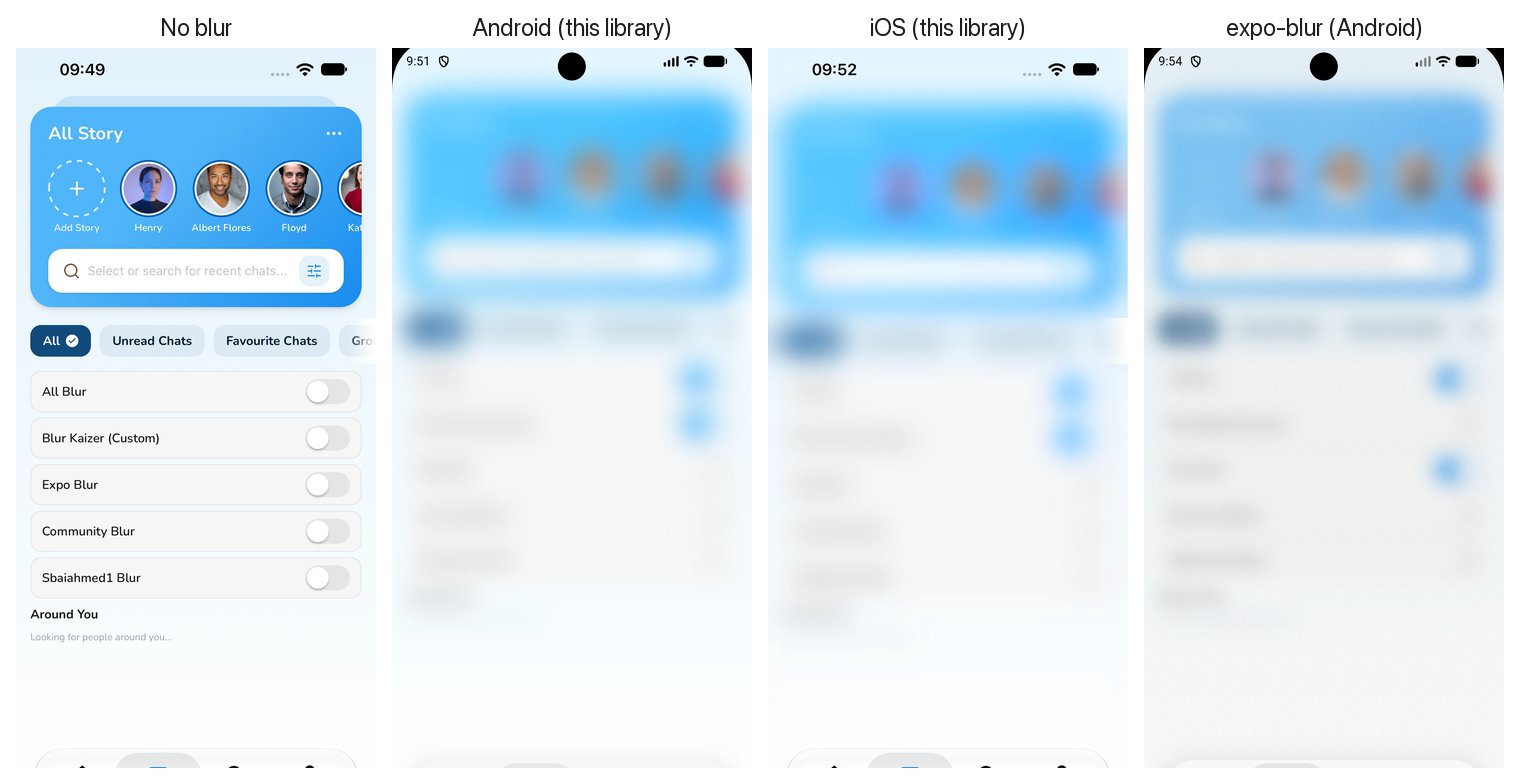
| Feature | @nguyenduy1412/react-native-blur | expo-blur | @react-native-community/blur |
|---|---|---|---|
| New Architecture (Fabric) | Native Fabric component | Expo Module | Legacy bridge |
| Blurs playing video on Android (SurfaceView) | Yes (PixelCopy + RenderEffect) | No, video stays sharp | No, video stays sharp |
| Backdrop overlays (headers, tab bars, popups) | Yes, mode="backdrop" | Limited on Android | Platform differences |
| Android look matched to iOS materials | Colour-calibrated (1.95 / 255 mean error) | Flat tint | Flat tint |
| React Native CLI without Expo | Yes | Needs Expo Modules | Yes |
| Expo Go | No (development build) | Yes | No |
When to pick which
- Pick this library when Android has to look like iOS, when you blur video, or when you need frosted overlays that blur what is behind them on Android.
- Pick expo-blur when you must run in Expo Go, or when you only target iOS.
Migrating from expo-blur
The props are close to expo-blur's. Change the import, and add mode="backdrop" where the BlurView sits over other views:
- import { BlurView } from "expo-blur";
+ import BlurView from "@nguyenduy1412/react-native-blur";

- <BlurView intensity={80} tint="systemMaterial" style={styles.header}>
+ <BlurView mode="backdrop" intensity={80} tint="systemMaterial" style={styles.header}>
expo-blur's tint names (light, dark, default, prominent, system*Material) are supported.
Migrating from @react-native-community/blur
- import { BlurView } from "@react-native-community/blur";
+ import BlurView from "@nguyenduy1412/react-native-blur";

- <BlurView blurType="dark" blurAmount={10} style={styles.card} />
+ <BlurView mode="backdrop" tint="dark" intensity={60} style={styles.card} />
Install
React Native CLI
npm install @nguyenduy1412/react-native-blur
cd ios && pod install
Rebuild the app. Autolinking picks the library up; no Expo packages are needed.
Expo
npx expo install @nguyenduy1412/react-native-blur
npx expo run:ios
npx expo run:android
It contains native code, so it does not run in Expo Go. Use a development build or EAS Build.
FAQ
What is the best blur library for React Native?
For Expo Go or iOS-only apps, expo-blur is the simplest. When Android must match iOS, when you blur video, or when you need frosted overlays on Android, @nguyenduy1412/react-native-blur covers those cases.
Does it support the New Architecture?
Yes, and it requires it. @nguyenduy1412/react-native-blur is a Fabric native component generated with React Native Codegen.
Does it work in Expo Go?
No. The package contains native code, so it needs a development build (npx expo run:ios / npx expo run:android) or EAS Build. React Native CLI apps work after pod install and a rebuild.
Does it work without Expo?
Yes. Since 2.0 it is a plain React Native Fabric component, so a React Native CLI app only needs npm install and pod install.
Which Android versions get a real blur?
Android 12 (API 31) and later, where RenderEffect exists. Android 11 and earlier draw a translucent material plate without blur, so content stays readable.